

How to Set Up Notifications for Google Spreadsheets
Last updated: Apr 10, 2024
2095
views

1) Open the Google Sheets document you want to set up notifications in.

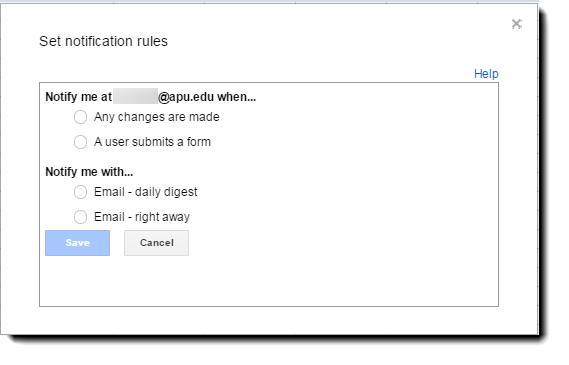
2) You can choose to be notified when changes are made, or when a user submits a form. You can also choose how often you should be notified. A daily notification for the days changes, or an immediate notification following every change.
SOURCE MATERIAL:
https://support.google.com/docs/answer/91588?hl=en
VIDEO TUTORIAL:
https://www.youtube.com/watch?v=6jxEV4xCc2I&list=UUdgTksw283OFC78pFcwXIdA

